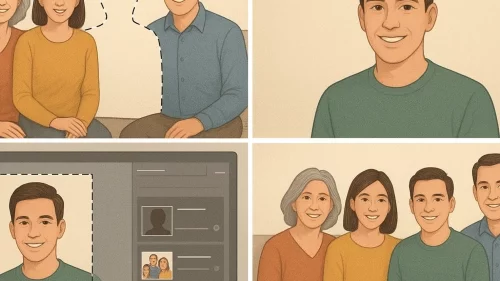
ไอเดียพร้อมท์เพิ่มคนในภาพหมู่
การเพิ่มภาพบุคคลจากไฟล์ PNG แบบโปร่งใส (transparent PNG) ให้ออกมาสมจริงในภาพหมู่ ไม่ใช่แค่เรื่องของการลากวาง แต่ต้องใส่ใจรายละเอียด ทั้งอาการใบหน้า ท่าทาง การจัดองค์ประกอบ แสงเงา และความคมชัด เพื่อให้ทุกคนดูราวกับอยู่ร่วมซีนนั้นจริงๆ บทความนี้จะเปิดเคล็ดลับขั้นสูงในการแต่งภาพแบบมืออาชีพ พร้อมเทคนิคจัดวางภาพอย่างไรให้เนียน กลมกลืน เสมือนถ่ายรูปร่วมกันในครั้งเดียว ความแม่นยำ 80%
Prompt
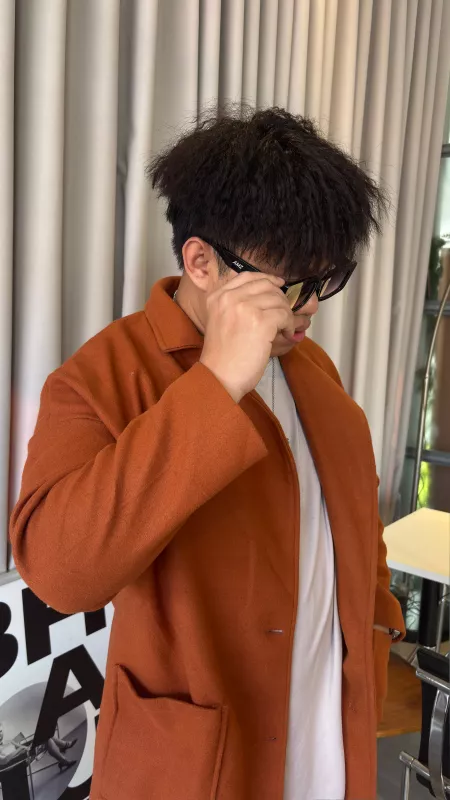
Add the transparent PNG portraits fully and completely into the existing scene.
บทความที่เกี่ยวข้องและแนะนำ:
- 📂 ในหมวดเดียวกัน: รัฐบาลเผชิญความท้าทาย
- ✍️ จากผู้เขียนคนนี้: Europe’s Sell America Shock The $10 Trillion Rebellion
- 🔗 บทความที่เกี่ยวข้อง: จบในที่เดียว ขายสินค้า หาฟรีแลนซ์ โพสเนื้อหาสร้างคอนแท็ก ดัน SEO ค้นหาเครื่องมือเอไอใน MagazineASP
- 🔗 อ่านต่อ: ฮุนเซน พาเมียถ่ายคู่ศาลาตรีมุข เคลมเป็นของกัมพูชาที่แท้ทหารไทยเป็นคนสร้าง
- 🆕 มาใหม่: เมื่อหาดใหญ่เป็นแอ่งกระทะรอรับน้ำจากทุกทิศ
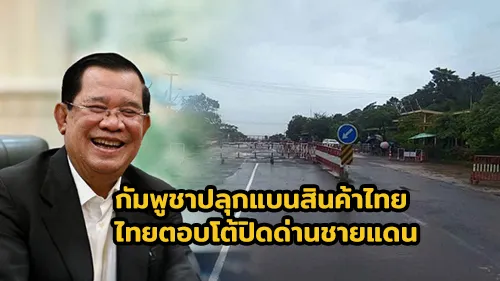
- 🔥 ยอดนิยม: กัมพูชาปลุกแบนสินค้าไทย ไทยตอบโต้ปิดด่านชายแดน
Each person must appear entirely — full body must be visible, no parts missing.
Keep their faces exactly 100% identical to the original PNGs — no changes to expression, lighting, or shape.
Blend them seamlessly with the background and other people, maintaining correct proportions, perspective, and life-sized appearance.
Arrange everyone so that all faces and bodies are fully visible — no faces or limbs should be blocked or missing.
They can be placed on the left, right, or anywhere in the row, slightly overlapping shoulders is okay, but never cover faces or merge bodies.
Maintain the full frame exactly as the original, 16:9 aspect ratio, no cropping or resizing.
Realistic lighting, shadows, and natural integration.






.webp)